RiveoGet the app
IPTV player for Apple TV, iPhone, iPad, Mac & Android TV

An IPTV player with a programme guideyou will actually use.

Riveo plays your own M3U, Xtream and manifest playlists on Apple TV, iPhone, iPad, Mac, Android phones, tablets and Android TV. Channels get a clear, full programme guide with search and reminders, and live TV lives right next to your movies and shows.

Riveo ships with no channels and no playlists. You bring the sources you own or have the right to access, and Riveo gives them a beautiful home.

Free download. No account required. Riveo PRO is optional.

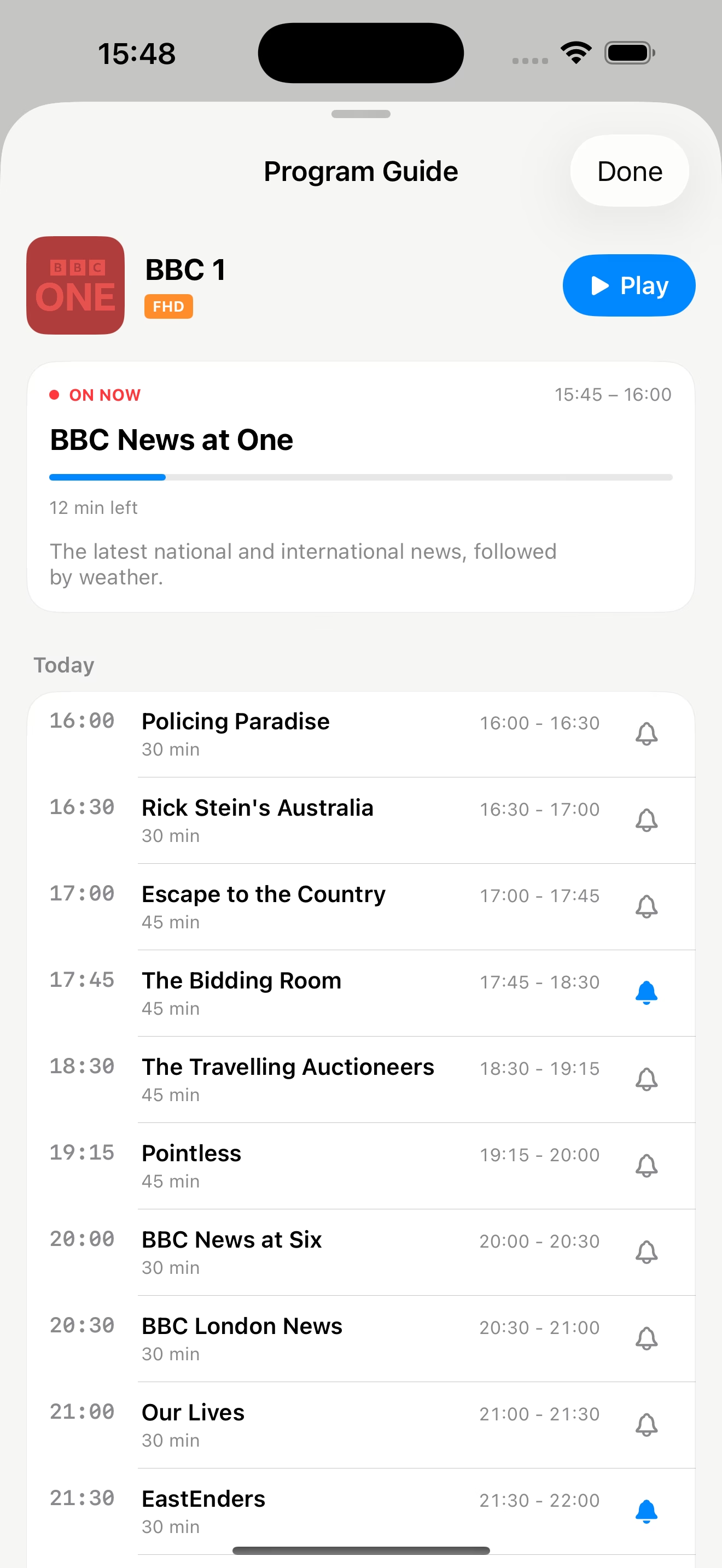
Live TV programme guide (EPG) for IPTV playlists in Riveo on iPhone
Getting started

How to add an IPTV playlist to Riveo

  1. 01

    Choose a playlist type

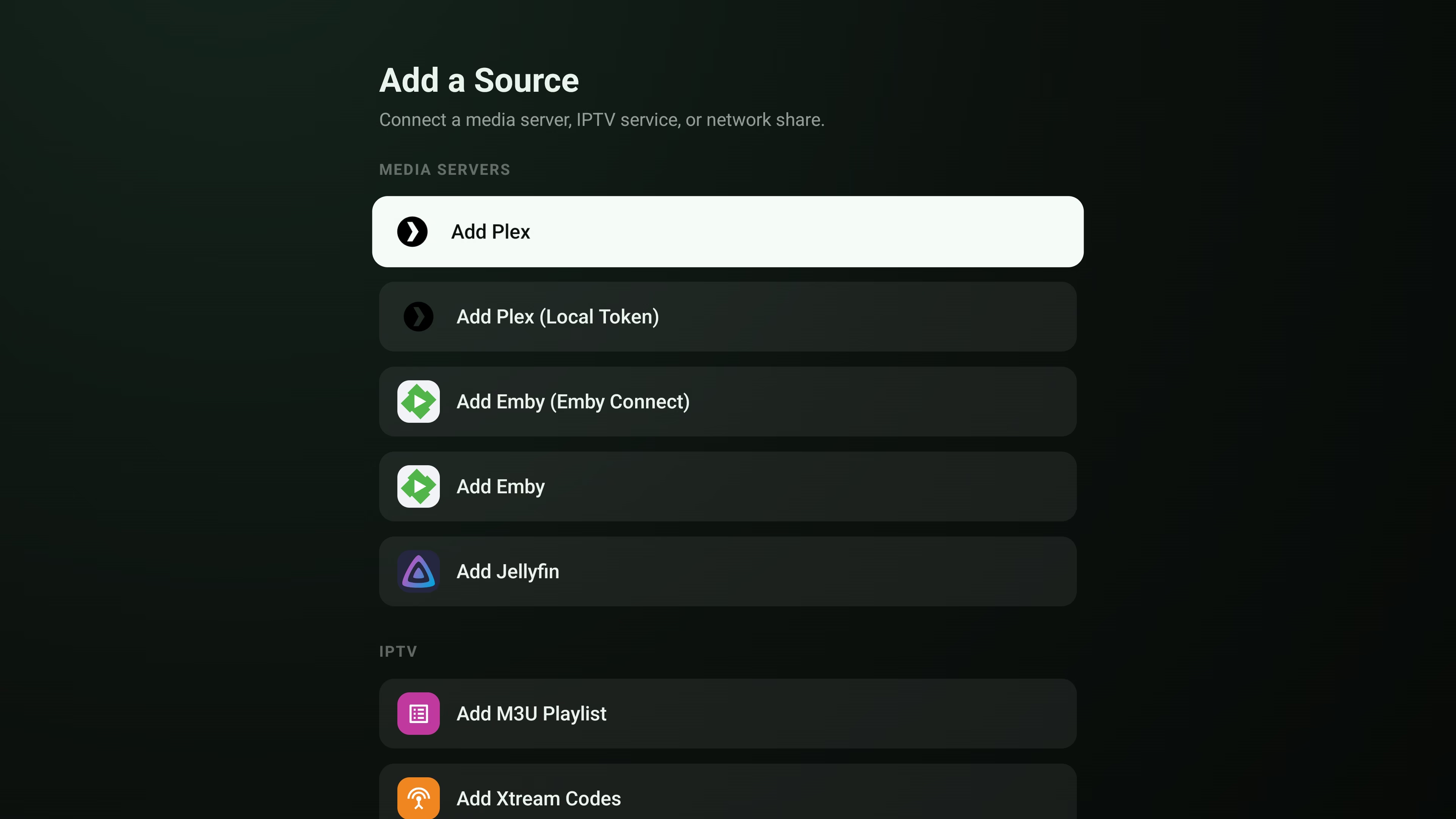
    Open Add a Source and pick M3U, Xtream or manifest under live TV.
  2. 02

    Enter your playlist details

    Paste your M3U URL, or your Xtream server, username and password. Credentials are stored securely on the device.
  3. 03

    Load the guide

    Riveo builds a programme guide for your channels so you can see what is on now and next, search channels, and set reminders.
  4. 04

    Watch on the big screen

    Add the same playlist on Apple TV or Android TV, or let Apple devices sync compatible app data through your private iCloud.
What you get

What makes Riveo a better IPTV player

M3U, Xtream and manifest support

Load standard M3U playlists, Xtream accounts and manifest sources without converting anything first.

A full programme guide

Browse the EPG channel by channel, jump between times, and find a programme by searching instead of scrolling.

Reminders for what matters

Set a reminder on an upcoming programme and let Riveo tell you when it starts.

Picture first

Playback controls, audio tracks and subtitles appear when you need them and get out of the way when you do not. Picture in Picture and AirPlay are supported on Apple devices.

No account, no ads, no tracking

There is no Riveo account, no ads and no tracking. Credentials are stored securely on your device, and on Apple devices compatible app data can sync through your private iCloud.
Add a Source on Android TV listing Plex, Emby, Jellyfin, M3U and Xtream IPTV playlists
The useful details

Frequently asked questions

Still unsure? Read the full FAQ or get in touch.

Does Riveo include IPTV channels? +

No. Riveo is a player only and ships completely empty. It does not include movies, channels or playlists; you connect the media servers, storage and playlists you already own or have the right to access.

Which IPTV playlist formats does Riveo support? +

Riveo loads M3U playlists, Xtream accounts and manifest sources.

Is Riveo an IPTV player for Apple TV? +

Yes. Riveo runs natively on Apple TV with a programme guide designed for the remote, alongside iPhone, iPad and Mac.

Is Riveo an IPTV player for Android TV? +

Yes. Riveo is available on Google Play for Android TV, Android phones and tablets.

Does Riveo have an EPG? +

Yes. Riveo shows a full programme guide for your channels, with channel search and reminders for upcoming programmes.

Is the IPTV player free? +

Riveo is free to use and most features work at no cost. Riveo PRO unlocks additional features and is ad-free, offered as a monthly or annual subscription or a one-time Lifetime purchase. Current prices are shown in the app and on the store listing.

Ready to press play?

Riveo is available on the App Store for iPhone, iPad, Mac and Apple TV, and on Google Play for Android phones, tablets and Android TV.