RiveoGet the app
Media player for Apple TV 4K

The media player your Apple TVhas been waiting for.

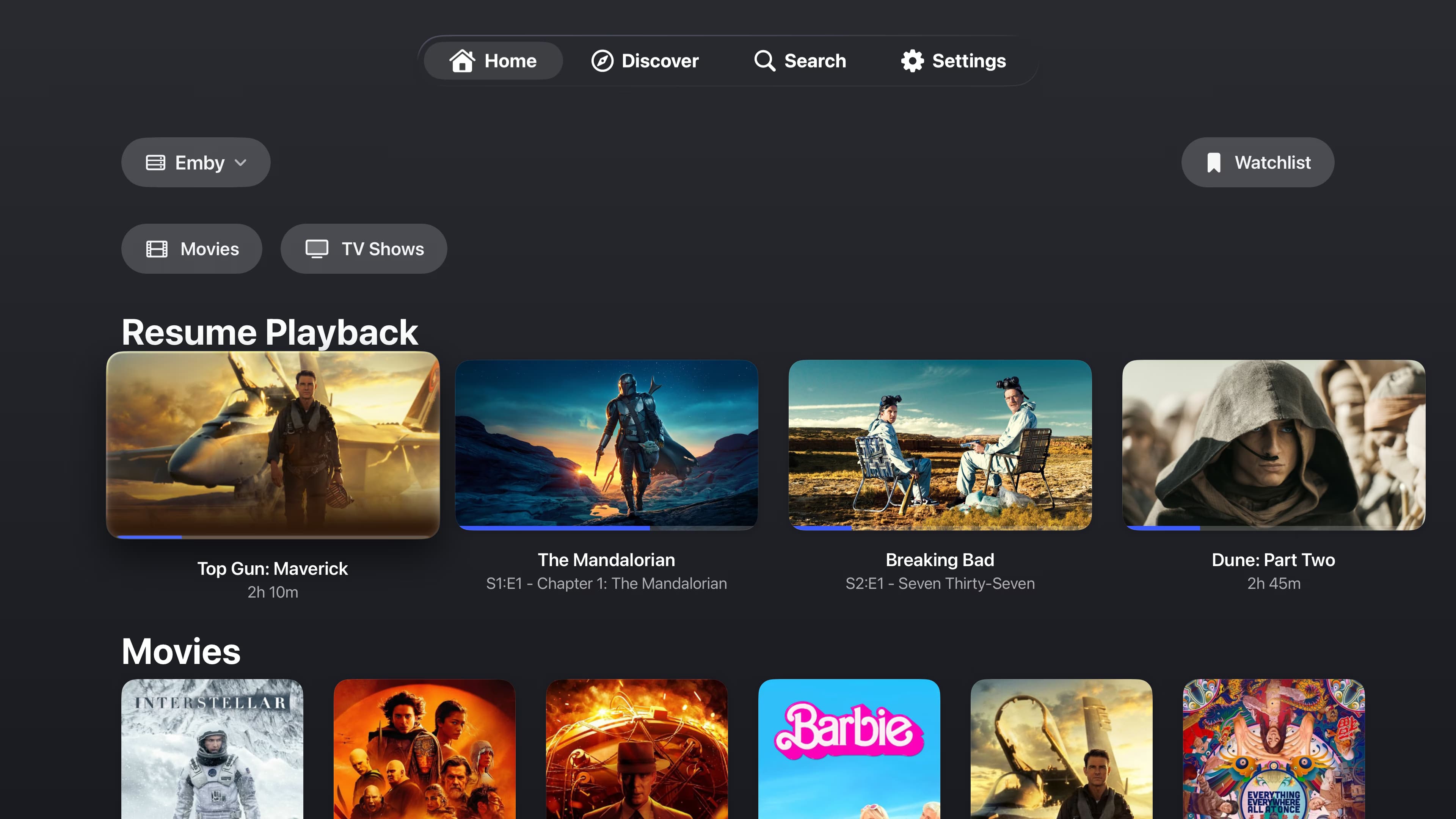
Riveo is a native tvOS media player that brings Plex, Emby and Jellyfin servers, SMB, NFS, WebDAV and FTP shares, cloud drives and IPTV playlists into one cinematic library on Apple TV 4K.

Built for the Siri Remote and the big screen: large posters, a programme guide you can read from the sofa, and 4K UHD, HDR10 and Dolby Vision playback of MKV, MP4, AVI, MOV and TS files with subtitles and multiple audio tracks.

Free download. No account required. Riveo PRO is optional.

Riveo media player on Apple TV and Android TV showing a unified library on the big screen
Getting started

How to set up Riveo on Apple TV

  1. 01

    Install from the App Store

    Open the App Store on your Apple TV and search for Riveo, or download it on iPhone and let it appear on Apple TV. Riveo requires iOS 26, iPadOS 26, macOS 26, tvOS 26 and visionOS 26 or later.
  2. 02

    Add your sources

    Add a Plex, Emby or Jellyfin server, a NAS share, a cloud drive or an IPTV playlist. Each takes a minute with the remote, or add them on iPhone first.
  3. 03

    Let iCloud carry your setup

    On Apple devices, compatible app data can sync through your private iCloud, so sources you add on iPhone or Mac are ready on Apple TV.
  4. 04

    Press play

    Your whole library, movies, shows and live TV, is on one home screen.
What you get

Why Riveo on Apple TV

4K, HDR10 and Dolby Vision

Riveo plays your library in 4K HDR and Dolby Vision on Apple TV 4K, from servers, shares and cloud drives alike.

Live TV with a real guide

Browse a full programme guide for your M3U or Xtream playlists, search channels and set reminders.

Subtitles and audio tracks

Switch tracks from the player without leaving the picture.

Native on tvOS

Riveo is built natively for Apple platforms, so it feels like it belongs on the Apple TV home screen.

No account, no ads, no tracking

There is no Riveo account, no ads and no tracking. Credentials are stored securely on your device, and on Apple devices compatible app data can sync through your private iCloud.
4K video playback in Riveo on Apple TV with the timeline overlay
The useful details

Frequently asked questions

Still unsure? Read the full FAQ or get in touch.

Which Apple TV models does Riveo support? +

Riveo requires iOS 26, iPadOS 26, macOS 26, tvOS 26 and visionOS 26 or later. Apple TV models that run tvOS 26 are supported; 4K HDR and Dolby Vision playback needs an Apple TV 4K and a compatible television.

Can I play Plex, Jellyfin or Emby on Apple TV with Riveo? +

Yes. Add each server as a source and the libraries appear together on the Apple TV home screen.

Is Riveo an IPTV player for Apple TV? +

Yes. Riveo loads M3U, Xtream and manifest playlists with a full programme guide, channel search and reminders on Apple TV.

Can Riveo play files from my NAS on Apple TV? +

Yes. Add an SMB, NFS, WebDAV or FTP share and Riveo plays MKV, MP4, AVI, MOV and TS files directly on Apple TV.

Is Riveo free on Apple TV? +

Riveo is free to use and most features work at no cost. Riveo PRO unlocks additional features and is ad-free, offered as a monthly or annual subscription or a one-time Lifetime purchase. Current prices are shown in the app and on the store listing.

Ready to press play?

Riveo is available on the App Store for iPhone, iPad, Mac and Apple TV, and on Google Play for Android phones, tablets and Android TV.